 strenos
+10 kgin 8 weeks, and the projection says 115
Your plus sets move the line week by week. After that comes the range the projection expects at your current pace.
Pick 5/3/1, nSuns, GZCLP, Texas Method or Smolov Jr and enter your maxes once. Every session shows up ready: weight, reps and plates per side, matched to the plates in your gym. After each session or week, Strenos moves the numbers by the program's own rule. No spreadsheet to copy wrong, no plate math at the rack.
Logging, the Apple Watch app and records from your sets are free for good. Week one of every program is free too. No ads, and nothing you log ever gets deleted.
 On a computer? Scan with your iPhone
A barbell, a dip belt and a clock each need their own math. Pick yours.
 01
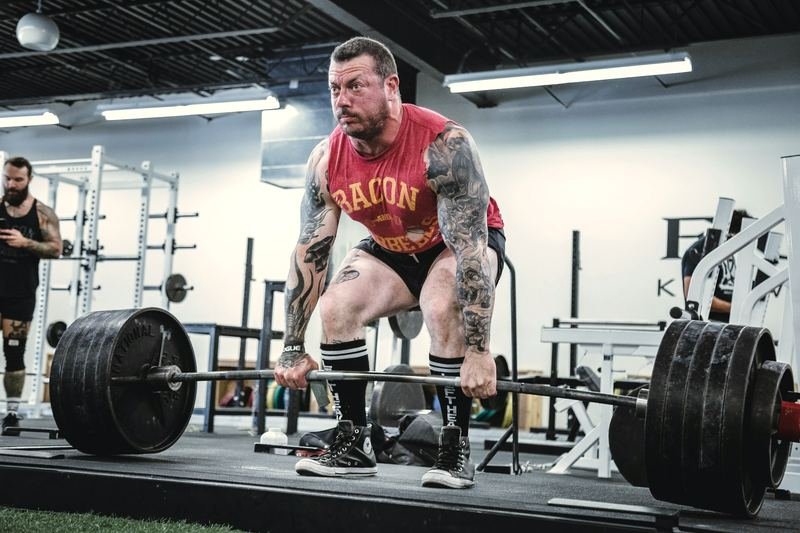
Under the bar
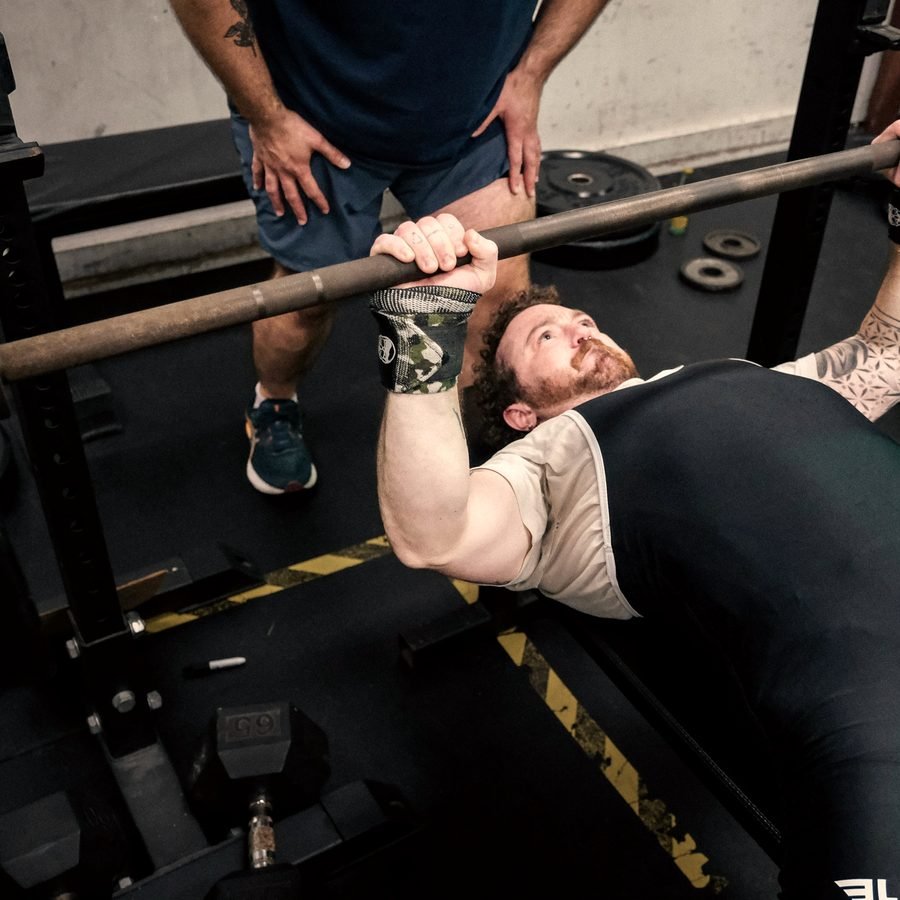
A real program for squat, bench, deadlift and press. Strenos works out the plates for every set, and the weight only moves when the program's rule says so.
5 programsPlates per side
How it works
 02
On the belt
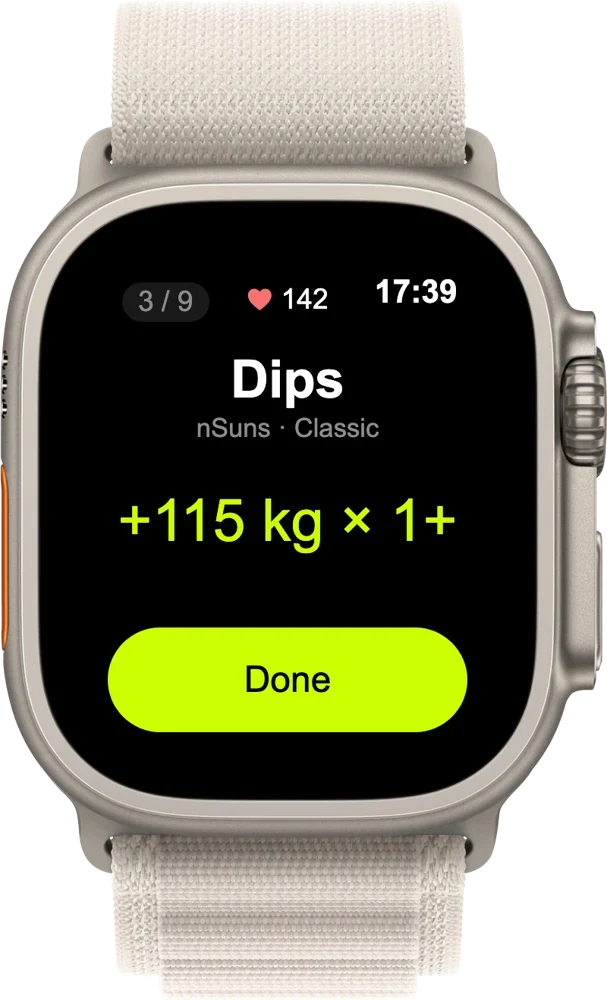
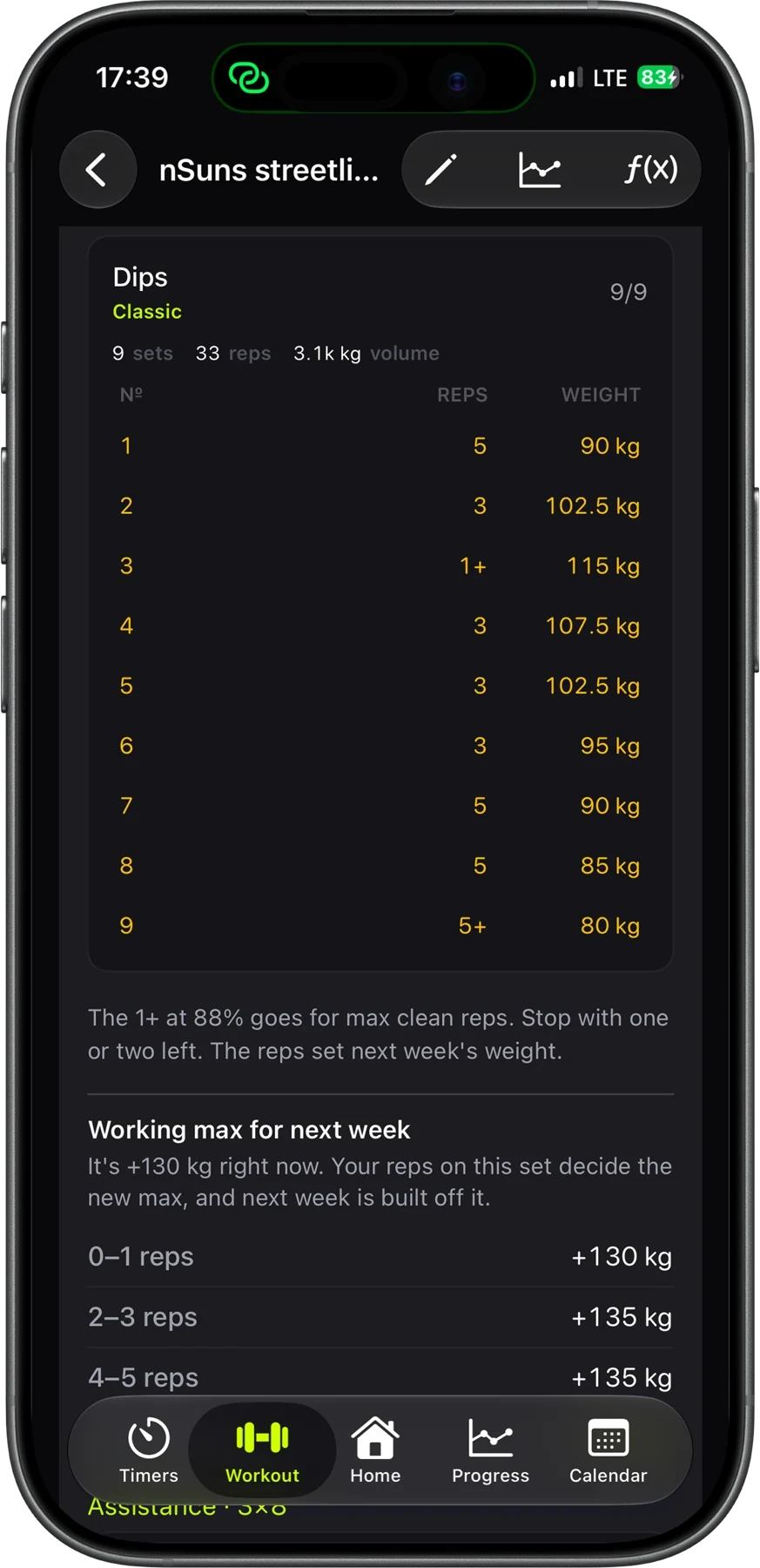
Weighted pull-ups and dips where every percentage includes your bodyweight. So 85% gets you about five reps instead of a max attempt. The belt goes up one small plate at a time.
Streetlifting formulaBodyweight counted
How it works
 03
Lift, then race the clock
Heavy sets first, then an EMOM, AMRAP, Tabata or a circuit of stations in the same workout. Log the rower and SkiErg in meters or calories, and feel every round change on your wrist. It all goes in your log as one workout.
One workout, one logMeters or kcal
How it works
Pick a screen. Every number on it is real, worked out by the same formulas the app uses. Now picture your own lifts in there.
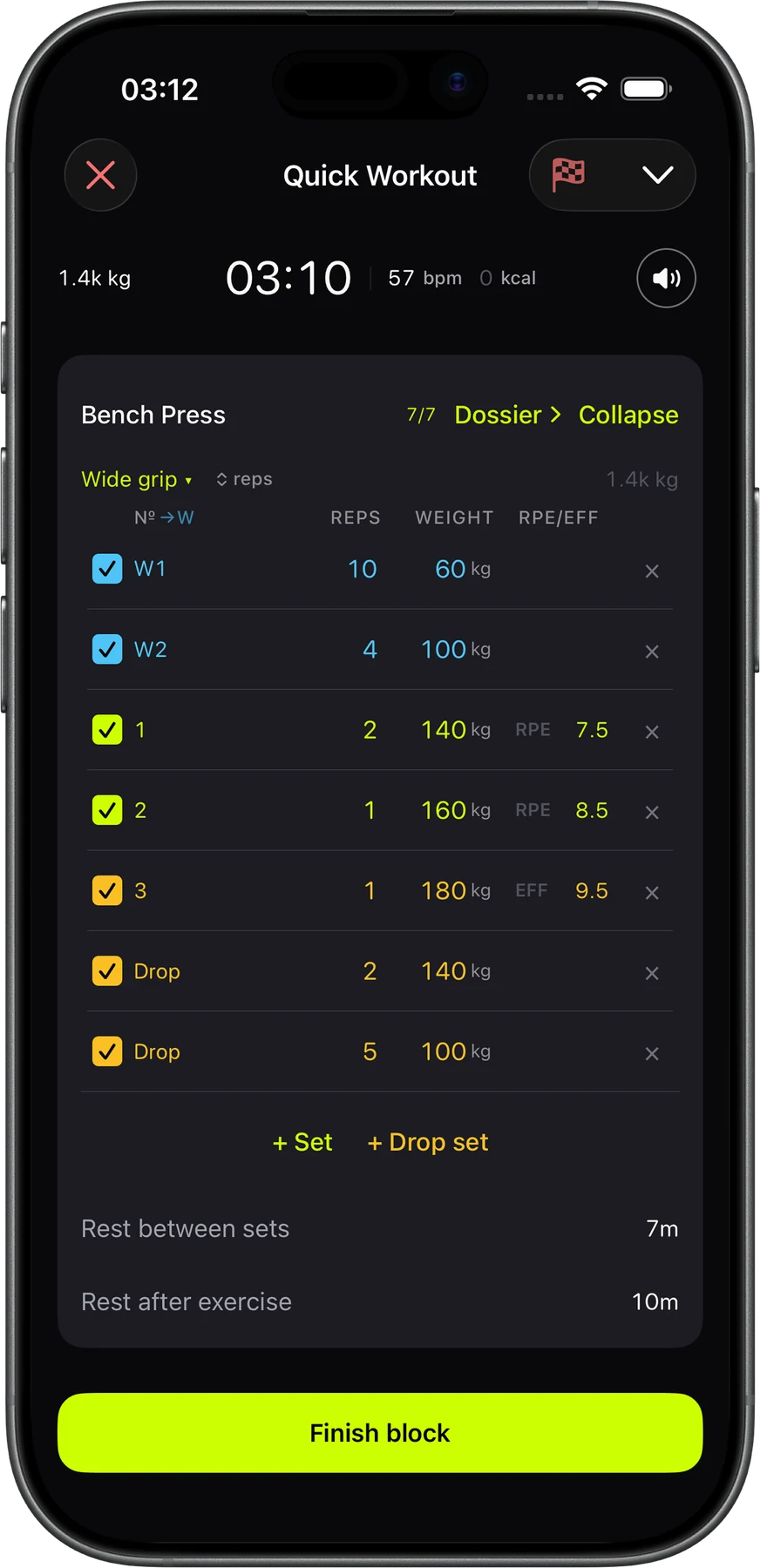
Check off a set and the tonnage updates right away. Warm-ups don't count and drop sets do, so the number shows the work you actually did.
Enter a weight and the reps you got, and you'll know your max without a test day. You'll see five formulas side by side, sets and reps for four goals, and a warm-up you can drop straight into your workout.
Log a 3RM, a 5RM, max reps at a weight or your longest hold. Strenos names the record and saves the video, so you can rewatch every PR.
Stack strength, Tabata, EMOM, AMRAP and circuits into one workout. Building is free, and you can make as many programs as you like.
No spreadsheet, no notes app, no punching percentages into a calculator between sets. When a session or week ends, Strenos does what the program says. Your plus set decides your next working max. Miss reps on a GZCLP lift and it moves to the next stage. Have a good heavy day on the Texas Method and your 5RM goes up.
Your plus set decides next cycle's working max. BBB or FSL assistance goes on top.
barbell · beltYour 1+ set at 95% decides next week's working max.
barbell · beltThe weight goes up every session. Miss your reps and the lift moves to its next stage, so you don't start over.
barbell · beltVolume day works off your 5RM. A new best on heavy day moves it up.
barbell · beltOne lift gets a fixed jump every week. At the end you test your new max.
barbellRun week one of any program free, with your own numbers. Then decide.
 Free calculator
Your whole 5/3/1 cycle, plates and all.
Plan my cycle
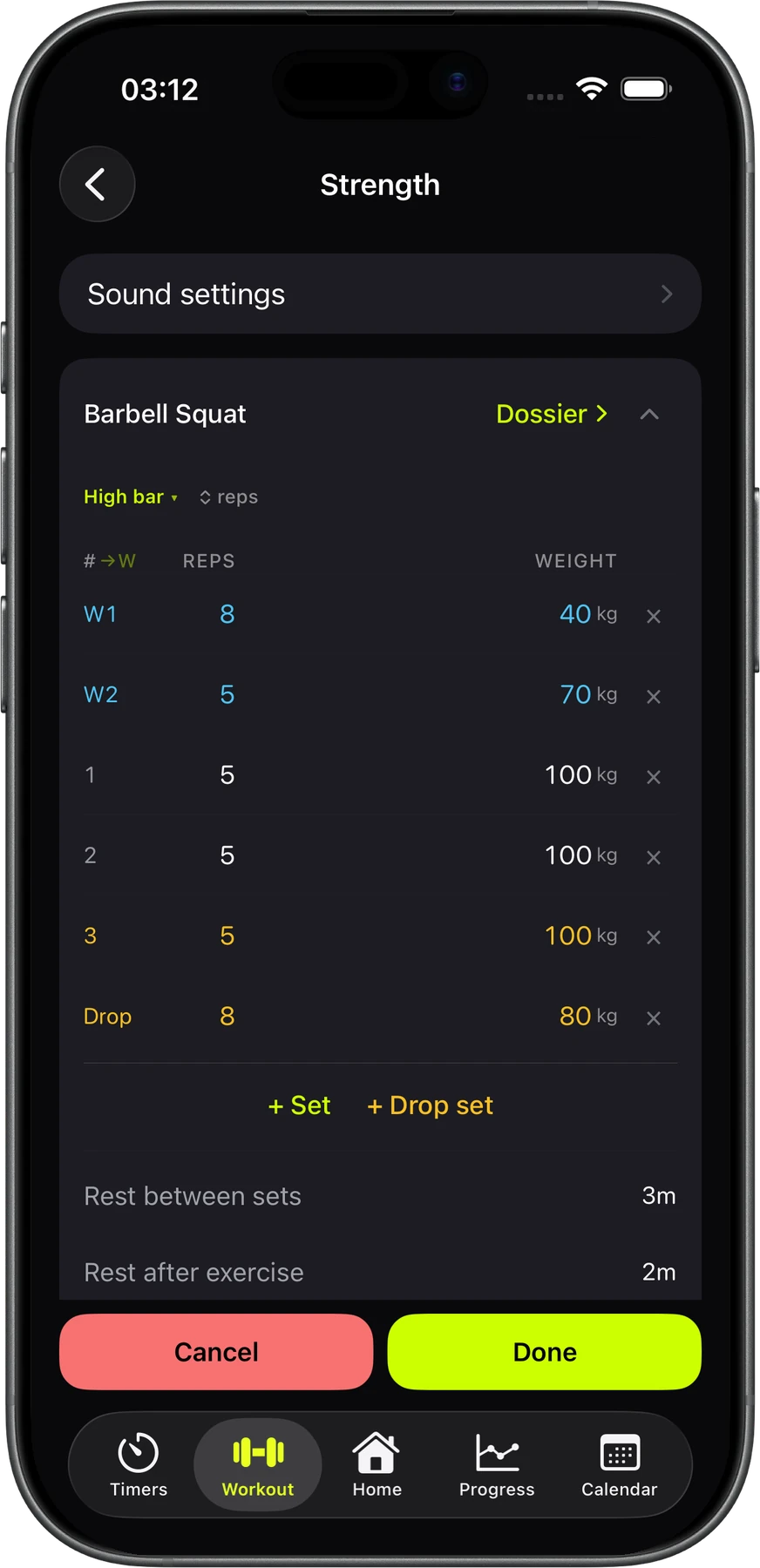
From a heavy squat to a burpee finisher, build the session you had in mind. Strenos runs the clock, the rounds and the rest, and logs it all as one workout.
Every set is planned to the kilo and every rest to the second.
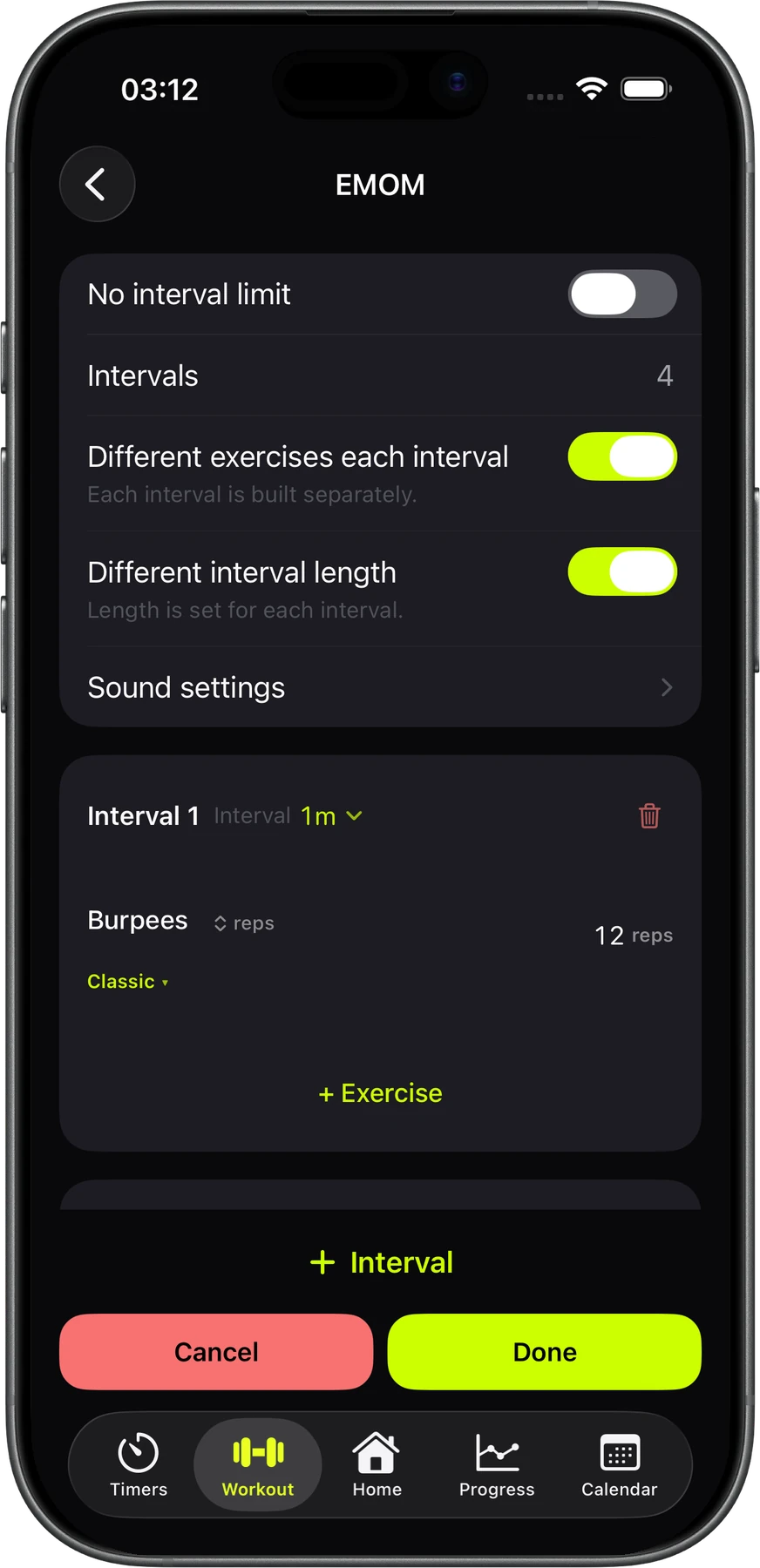
Each interval can have different moves and a different length.
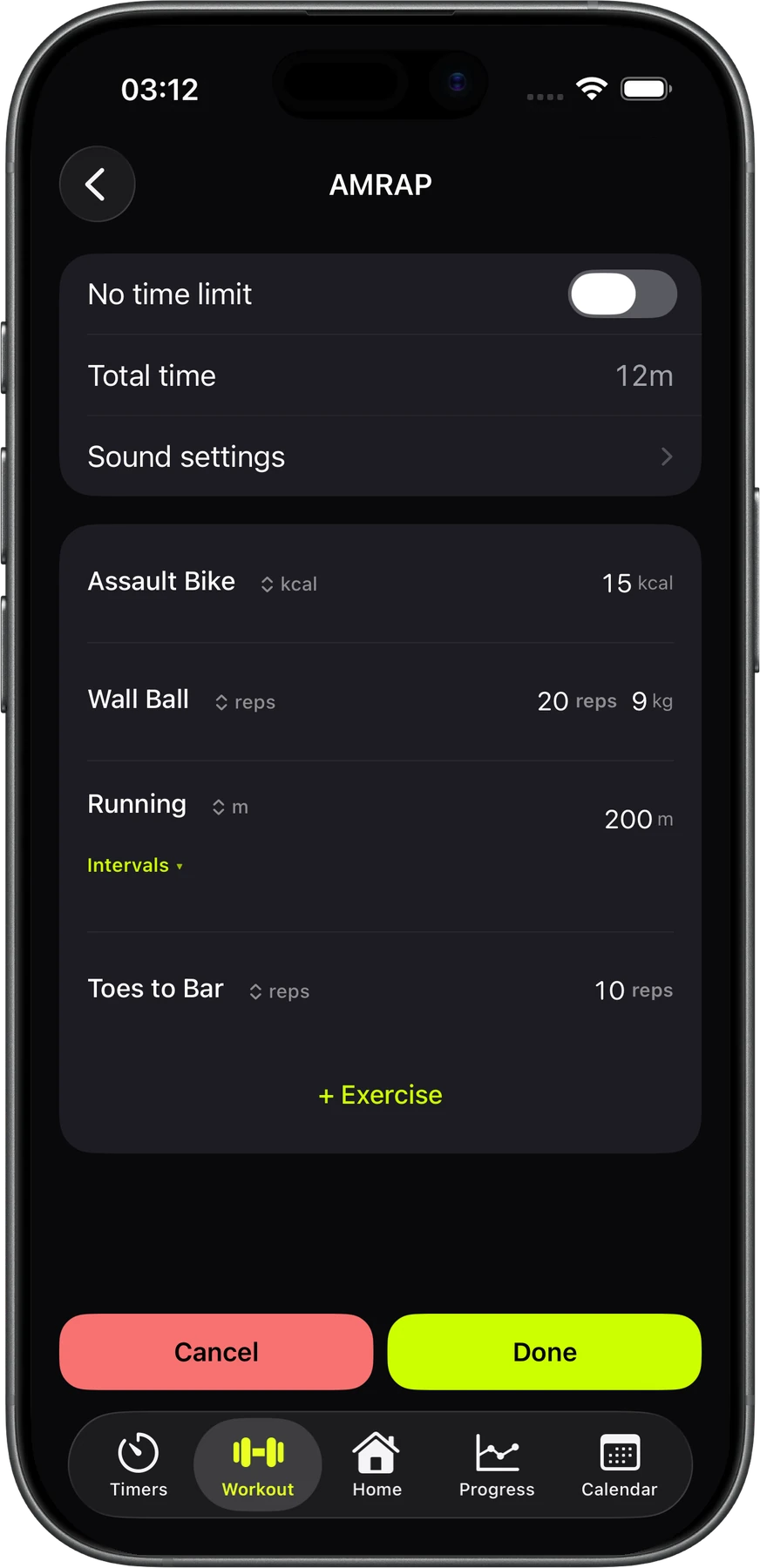
Set a time cap, or turn it off and keep going.
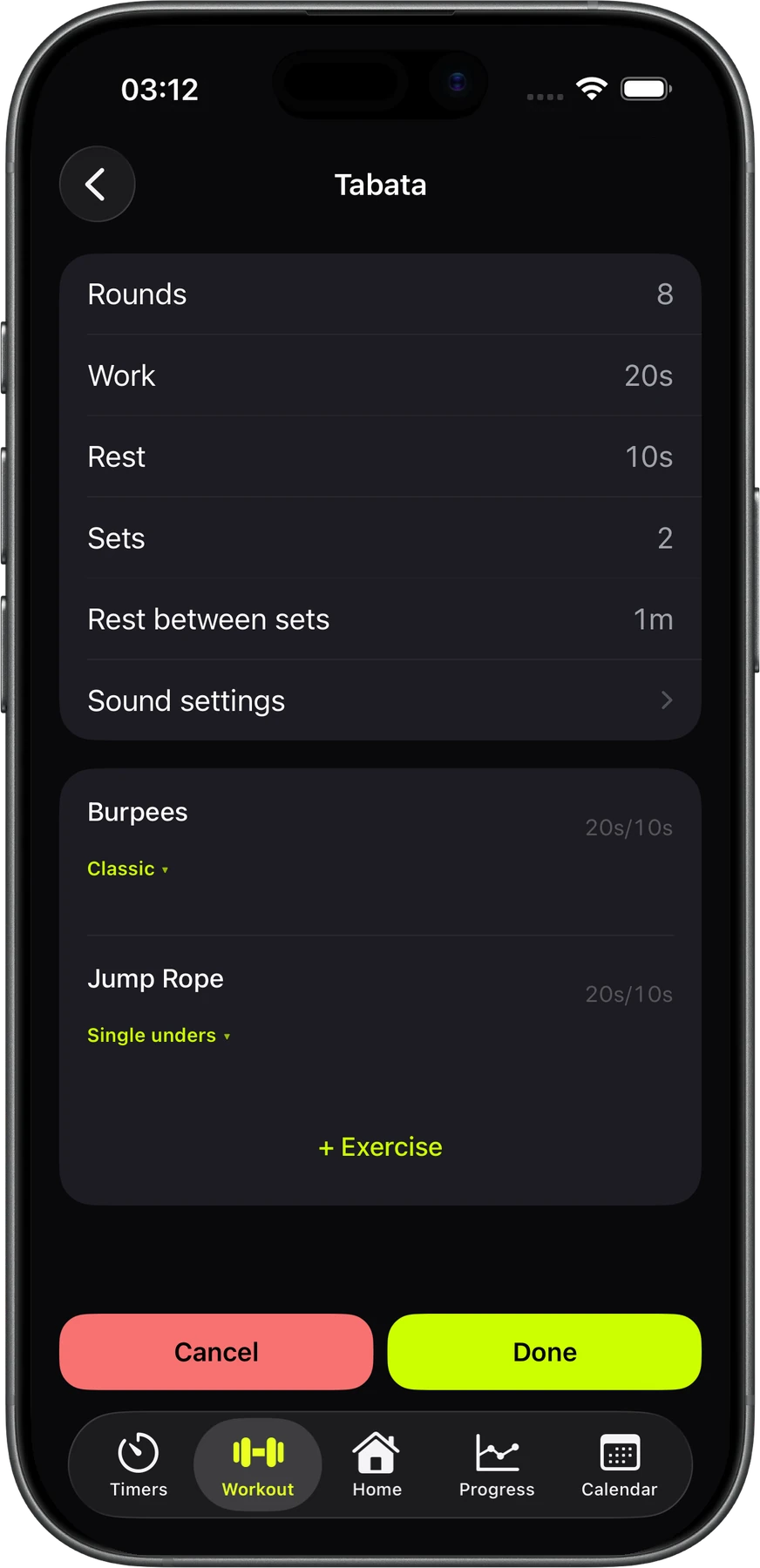
Classic 20/10, or set your own work, rest and sets.
Set up stations, laps and rest the way you run them.
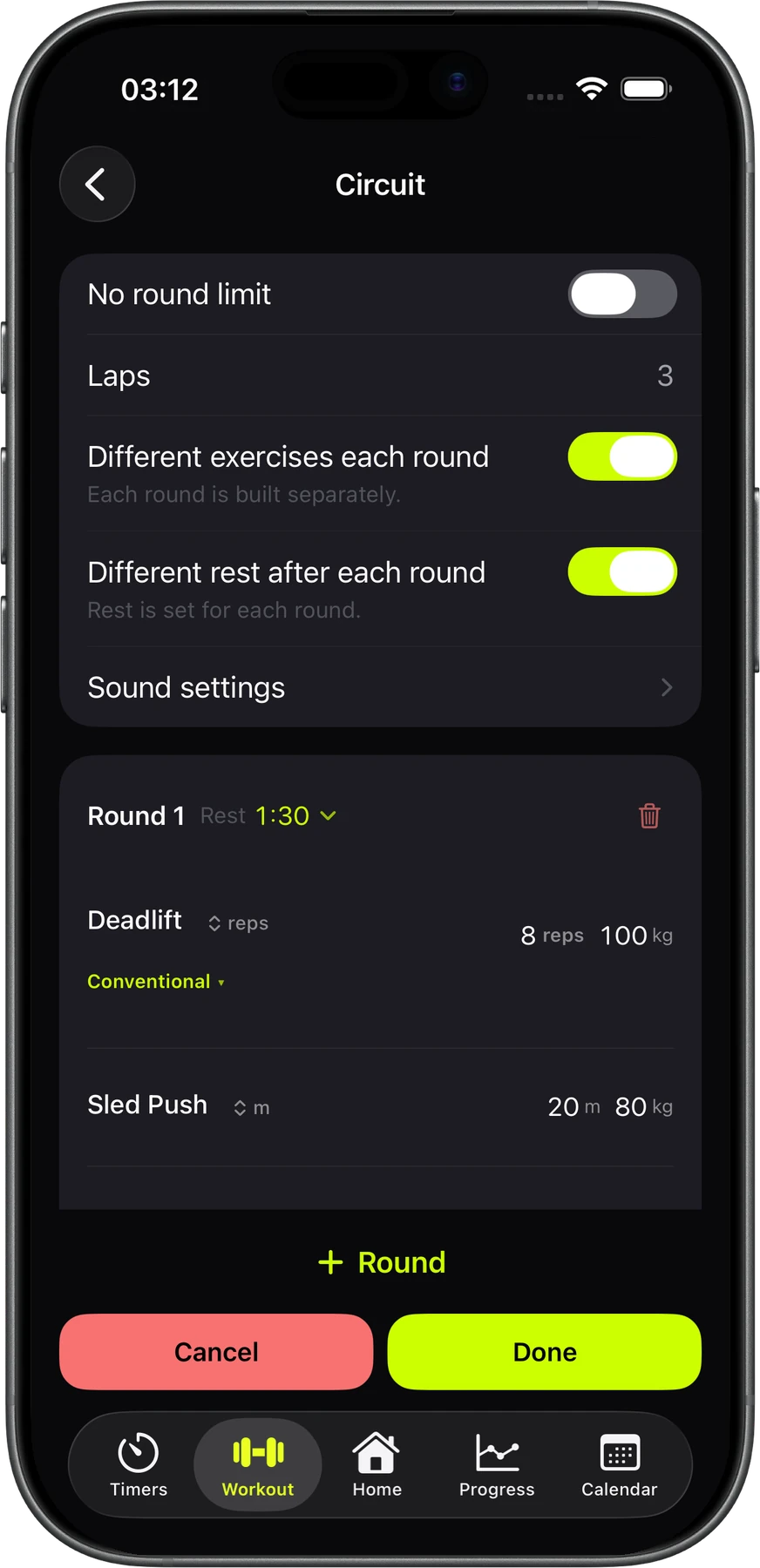
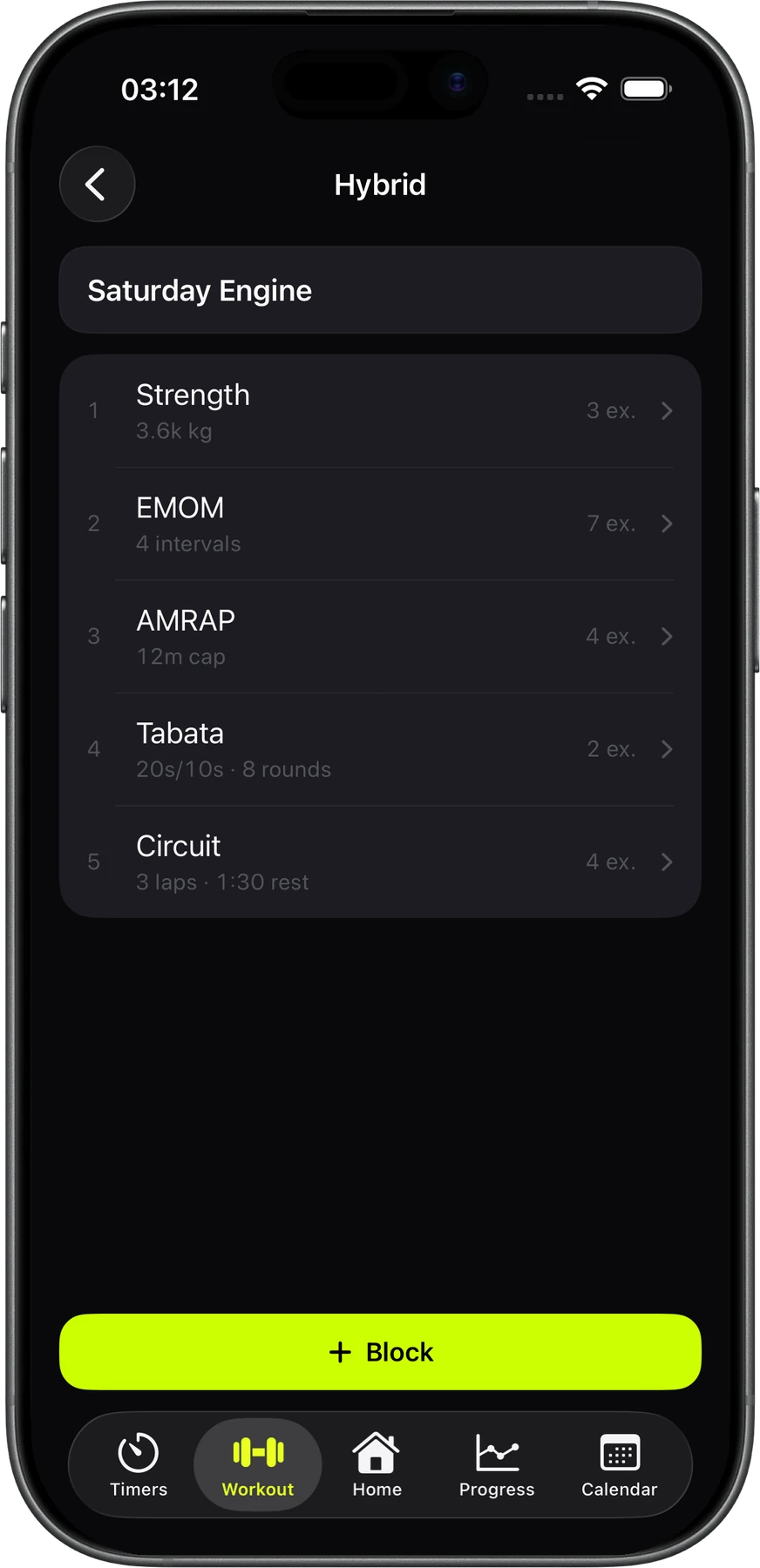
Put any of the five formats back to back, in any order.
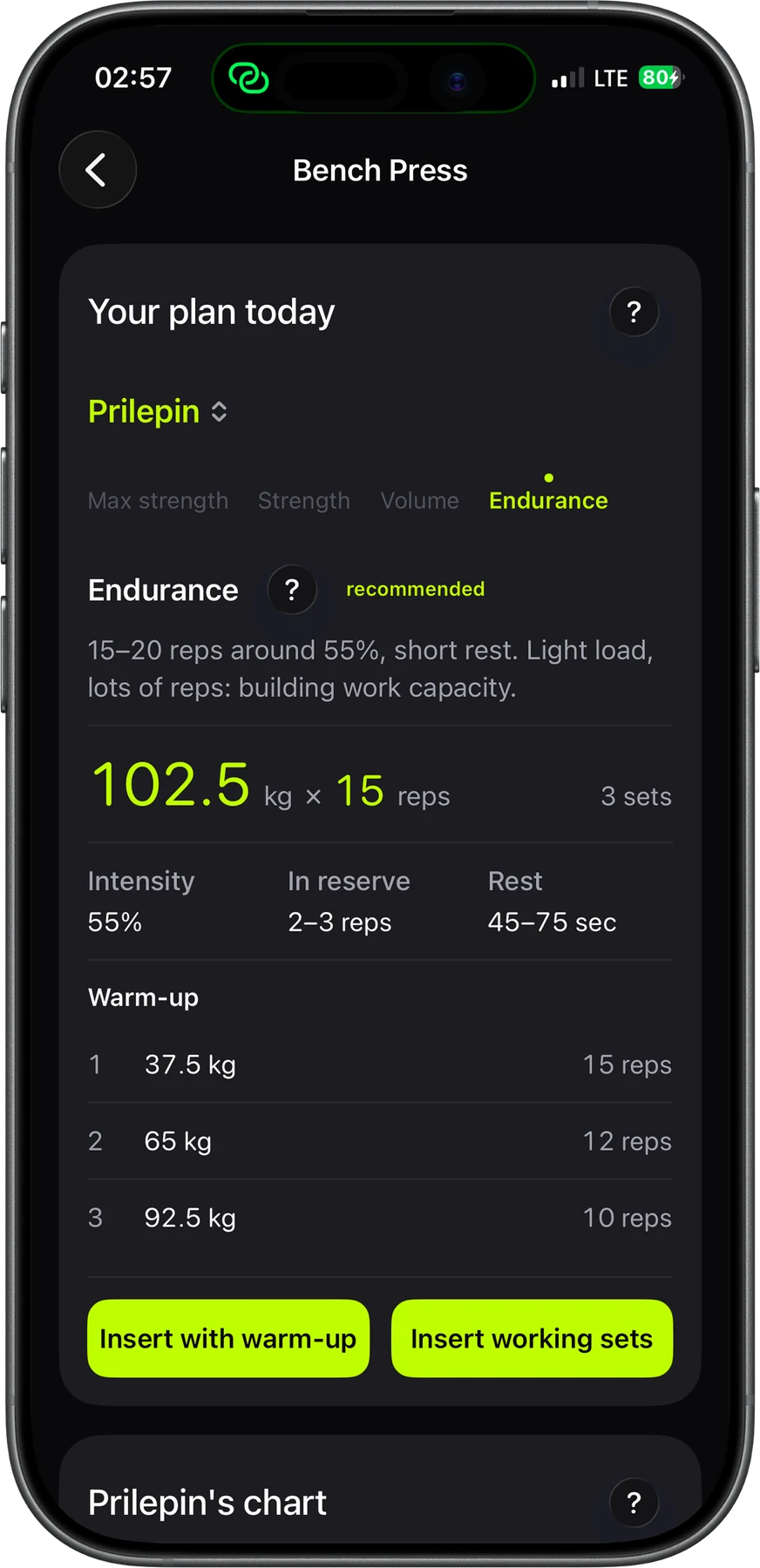
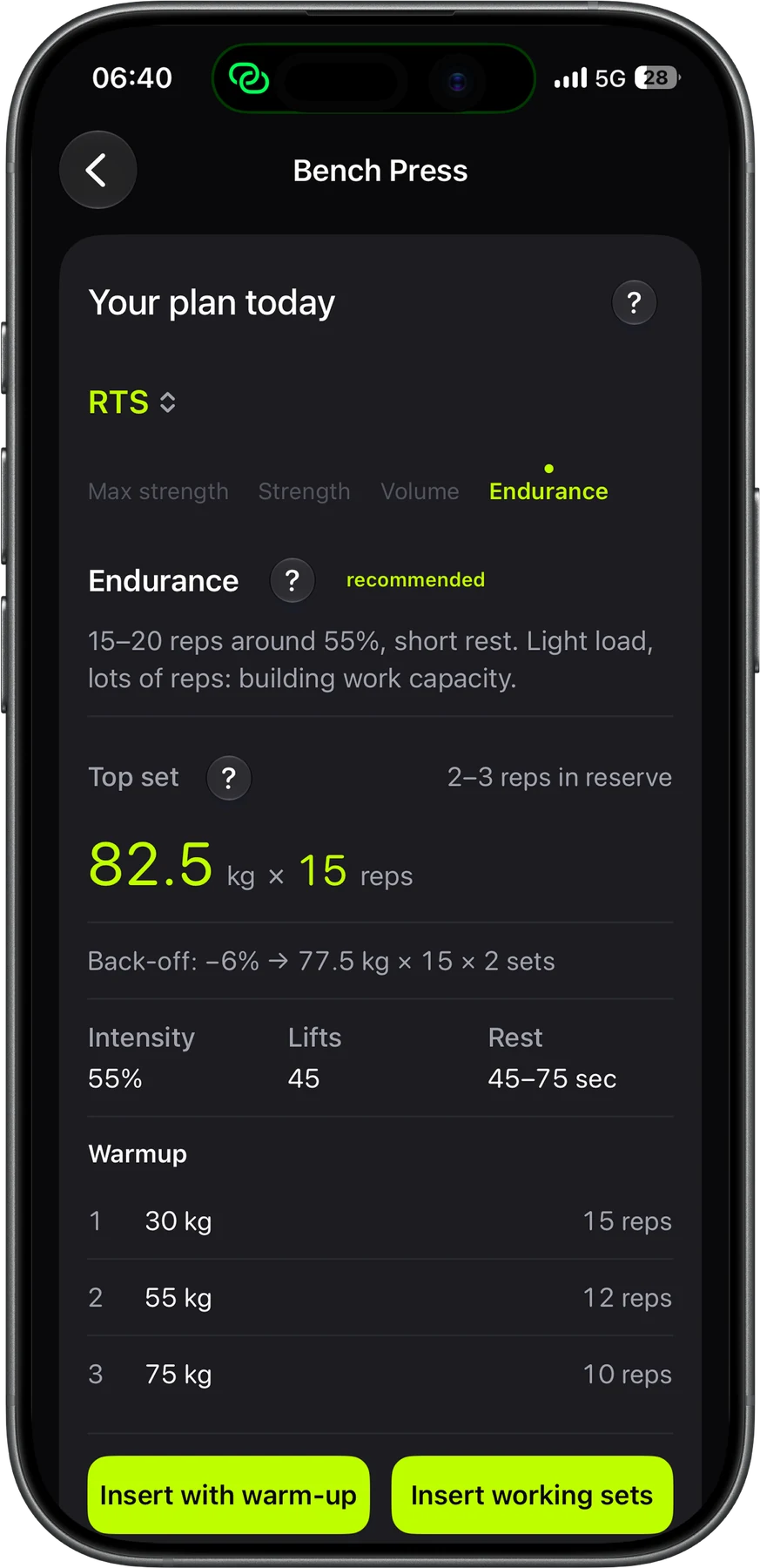
Open the dossier for any lift. Strenos takes your history and today's readiness and gives you the weight, sets, reps and rest. It builds them from Prilepin's table or an RTS top set with back-off sets. If the weight hasn't moved in three weeks of hard sets, it tells you straight and suggests what to change.
3 sets of 15 with 102.5 kg, which is 55%, leaving 2–3 reps in reserve. The warm-up is already worked out.
One top set of 82.5 kg for 15, then two back-off sets 6% lighter, at 77.5 kg.
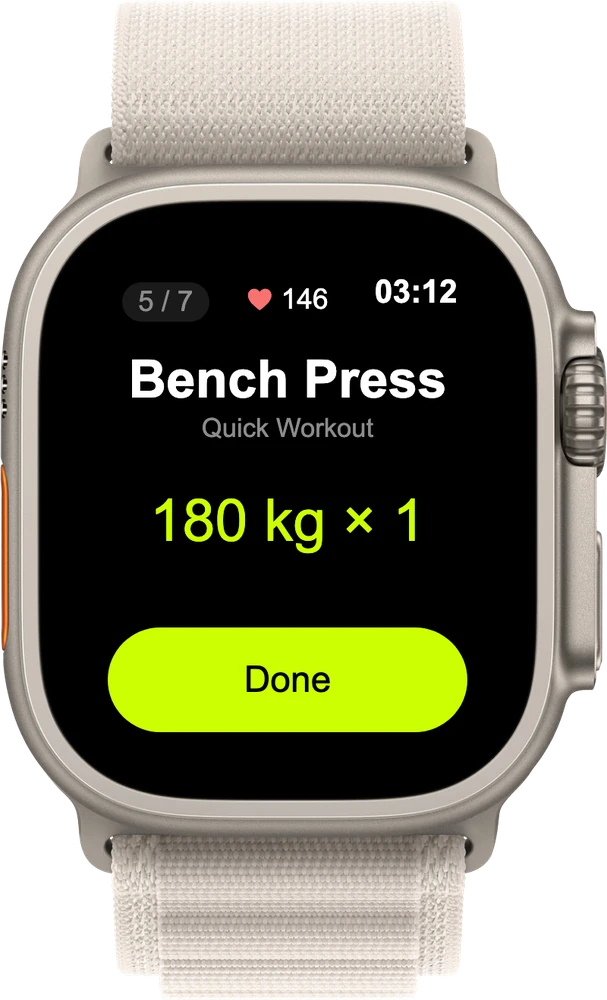
Start the workout on your iPhone, then run it from your Apple Watch. Check off sets and rate how hard they felt. Cut or add rest, and keep an eye on your heart rate. No more chalky fingers on your phone screen.
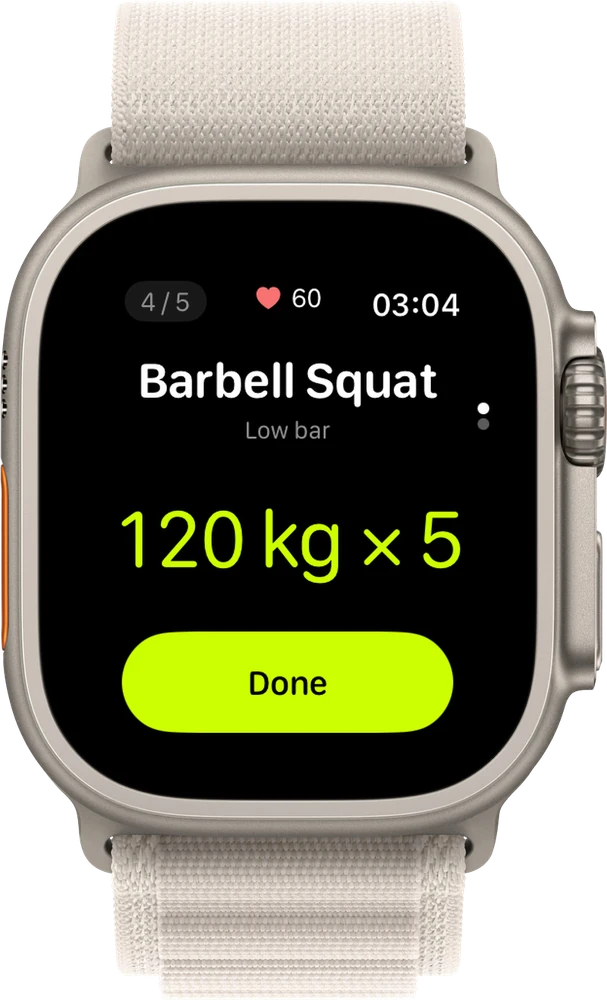
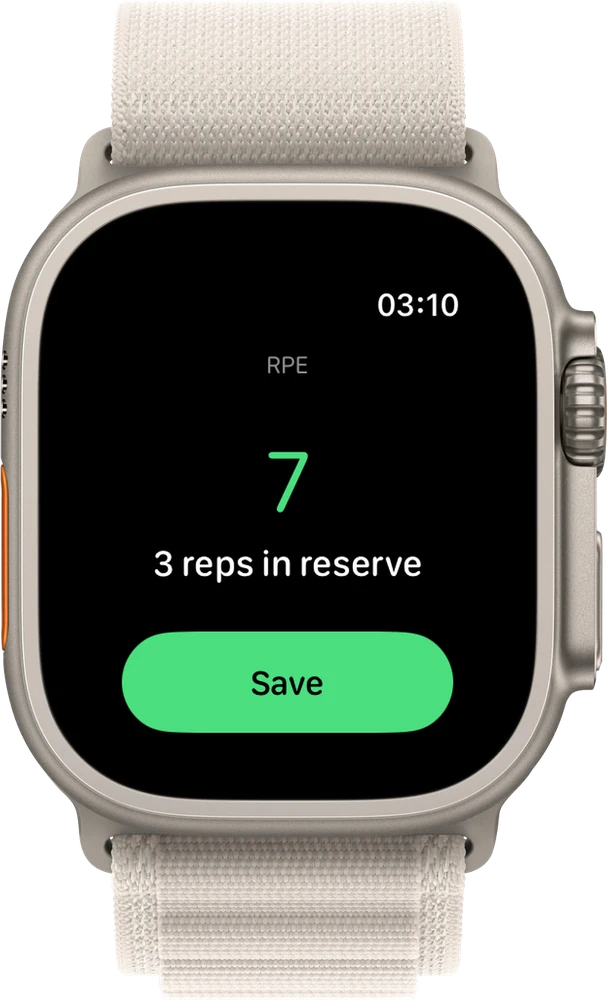
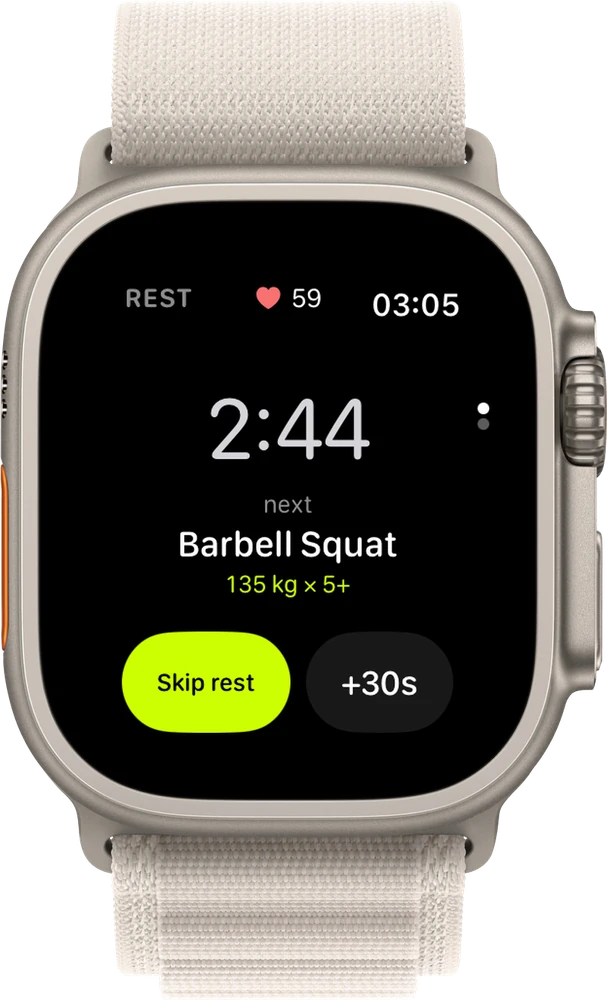
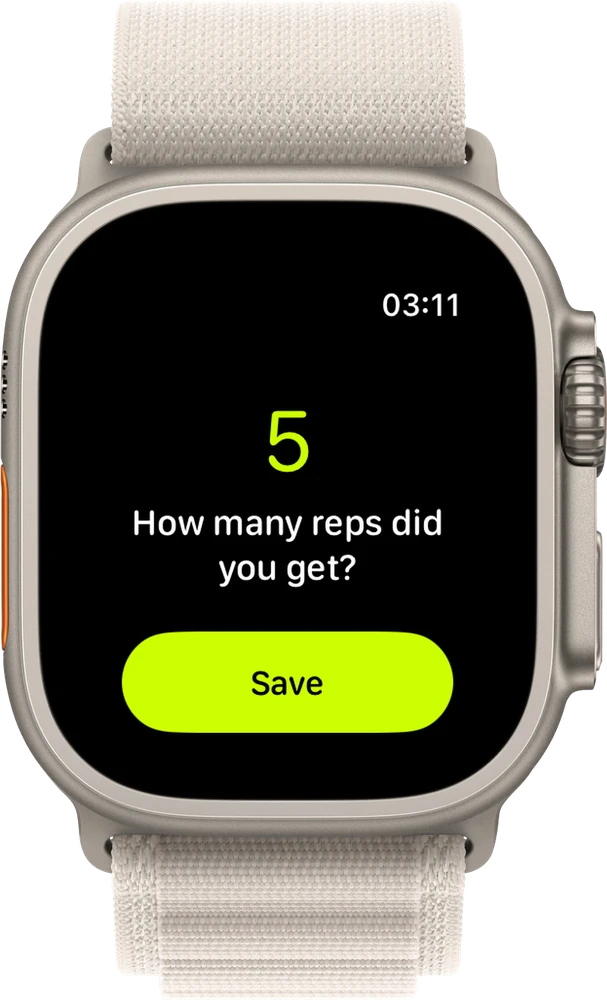
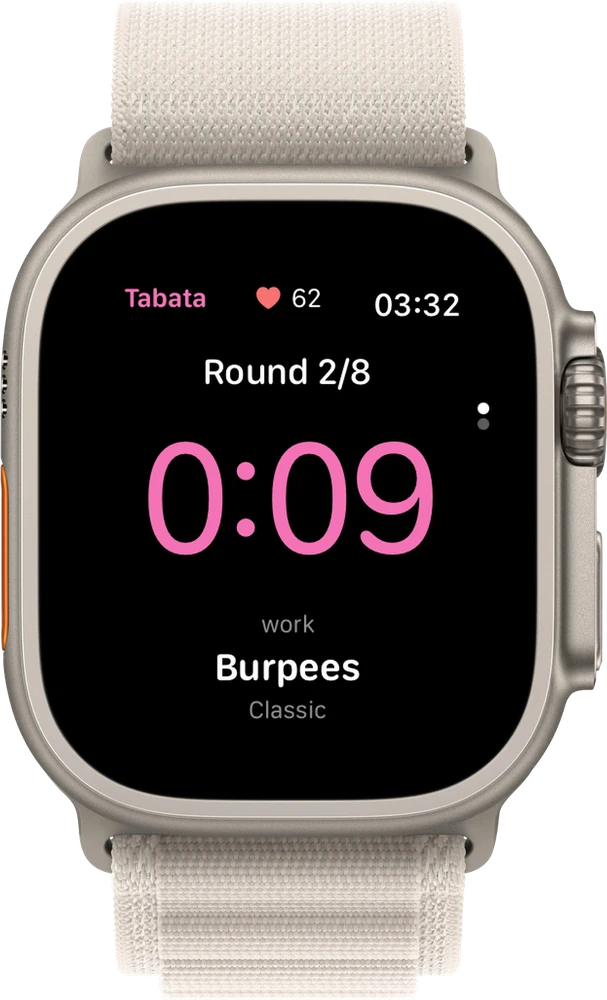
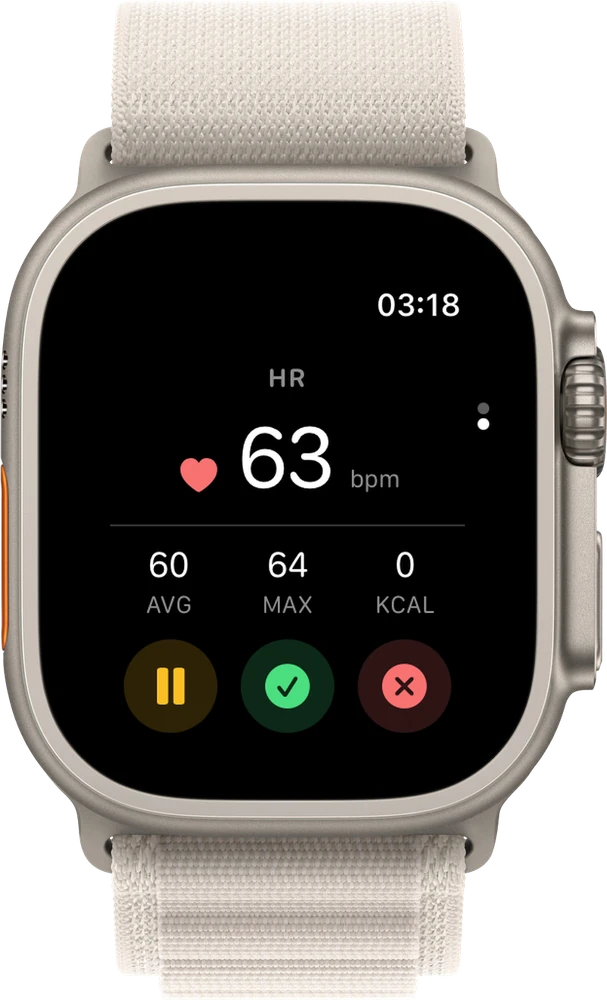
Your session shows as a Live Activity on the Lock Screen and in the Dynamic Island.
You get progress cards you arrange yourself, a scorecard for every lift, a history for every record, a forecast for your program and a tape measure for your body. The stats and records come straight from the workouts you already log.
Your plus sets move the line week by week. After that comes the range the projection expects at your current pace.
+6 from last month. One score that sums up how your training is going.
This week's load compared with your 4-week average. Under 0.8 you're losing ground. Over 1.5 you're asking for trouble.
Warm-up sets don't count, so this is your real work.
Dark dots mark the sessions that ran harder than planned.
The sweet spot is 0.8 to 1.2.
The map shows every training day of the last hundred. The darker the square, the harder the session.
These numbers come from a demo profile. Yours will come from your own workouts.
Turn on the cards you care about and drag them into the order you want. Form index and load balance sit up top. Below them come tonnage, duration, RPE and effort, plus heart rate and calories from Apple Health.
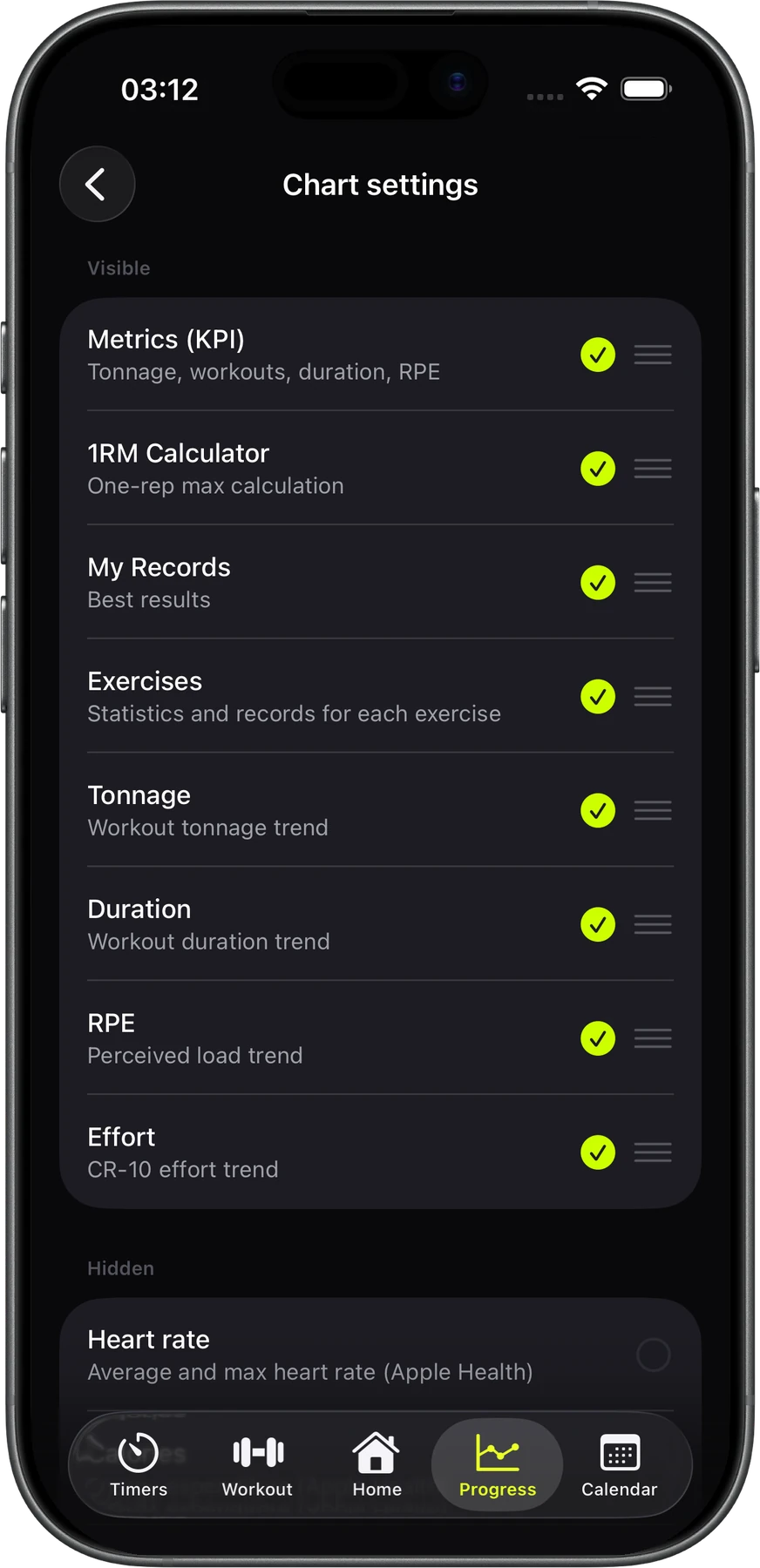
See your max weight and how much it went up this month, plus tonnage, average RPE, reps, sets, sessions a week and days between them. Below that are session-by-session charts and a 12-week trend that shows a plateau before you feel it.
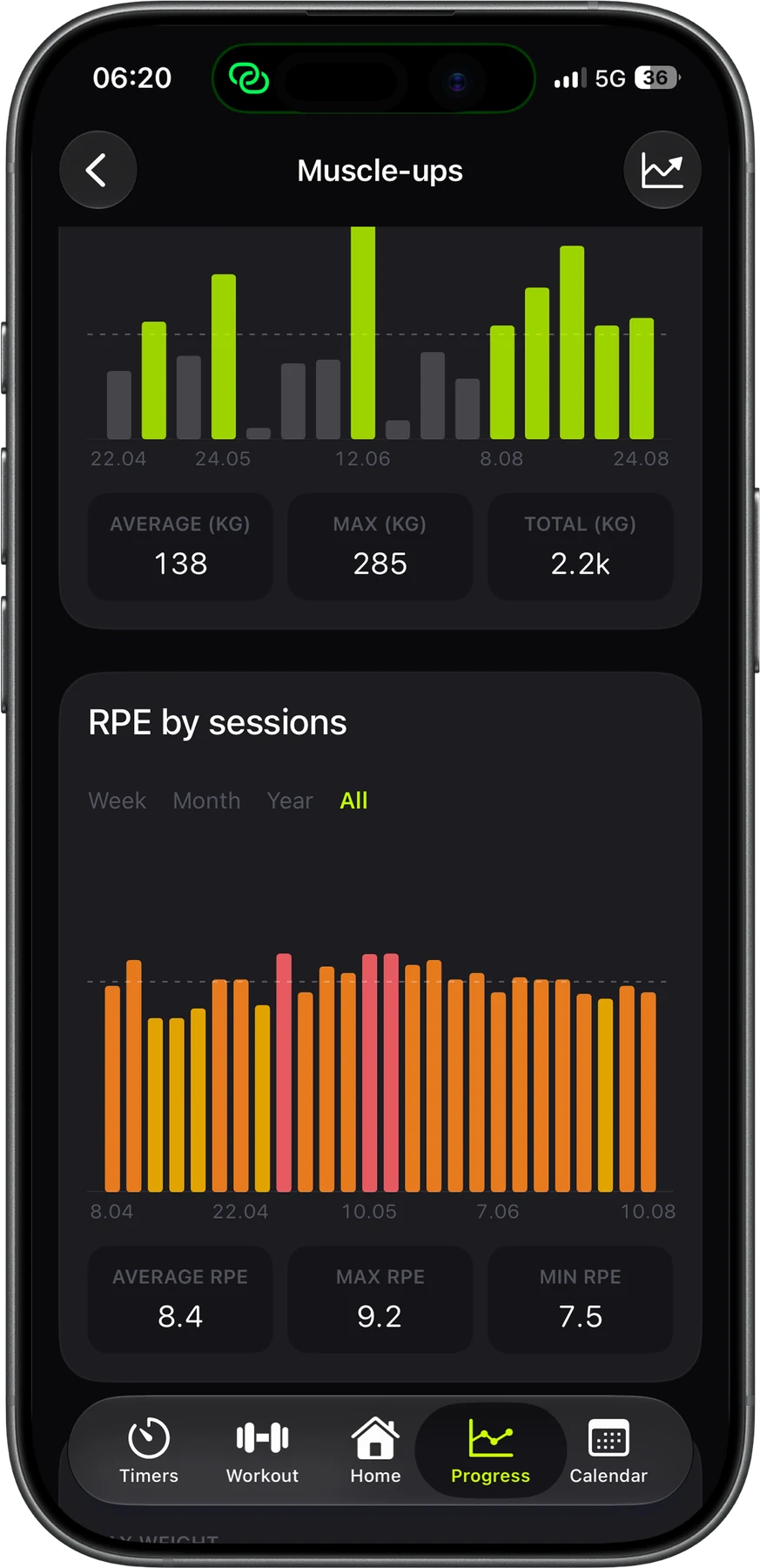
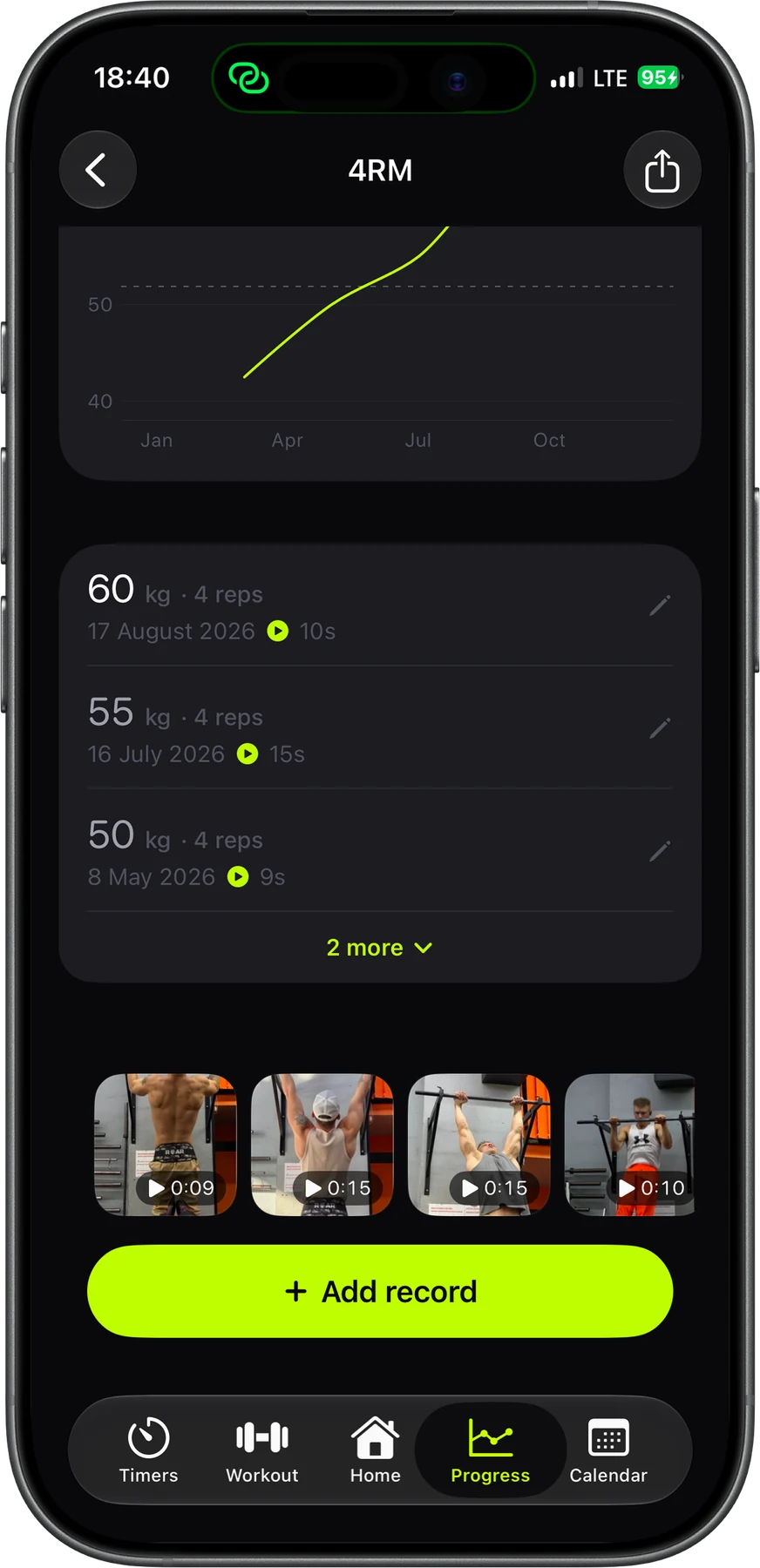
Track rep maxes at any count, max reps at a weight, holds and records you define yourself. Each record keeps a history chart and the videos of your attempts.
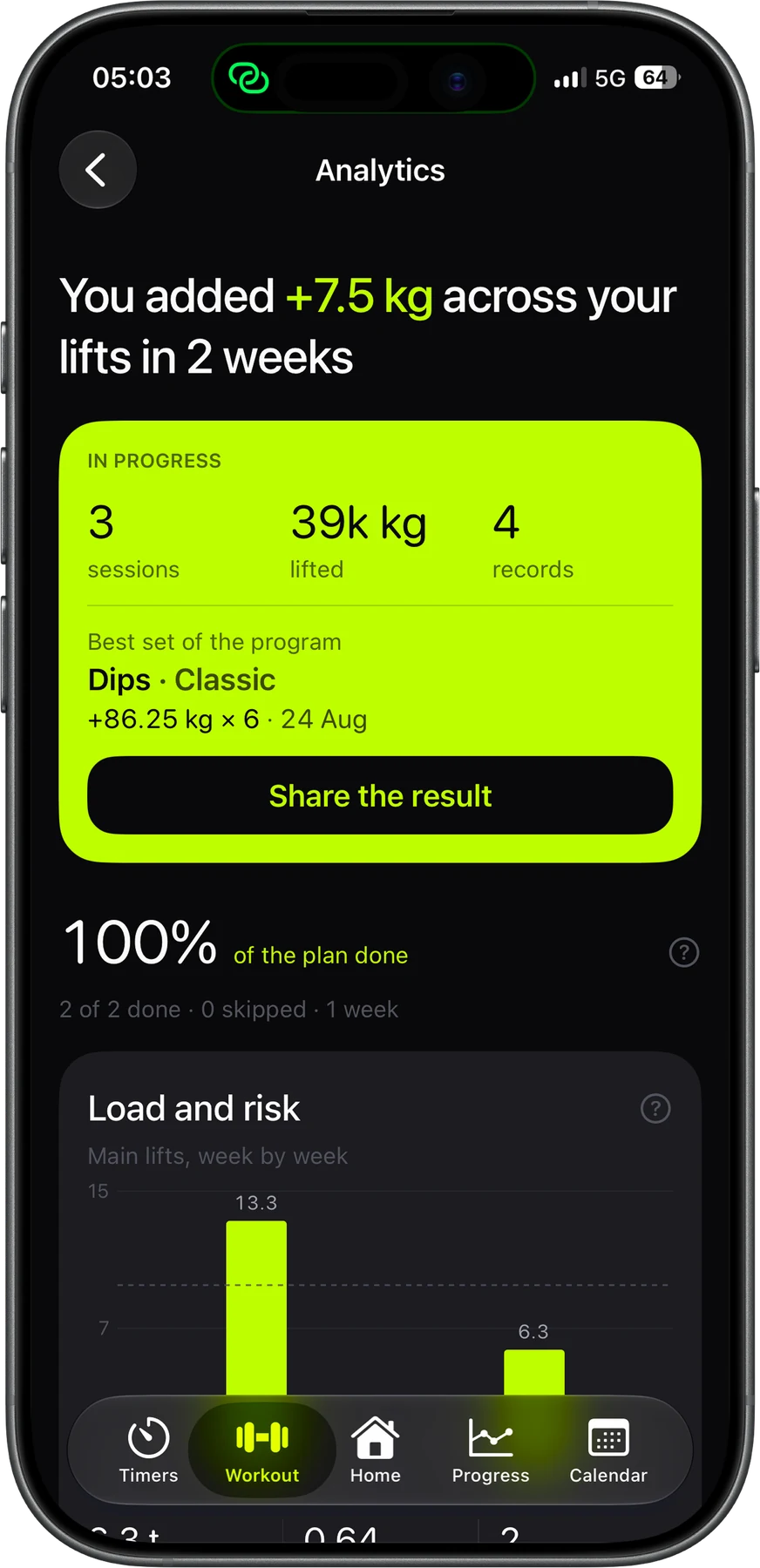
Follow your working max week by week and see what your plus sets proved. Strenos compares your load with your 4-week average and shows where you'll land at this pace.
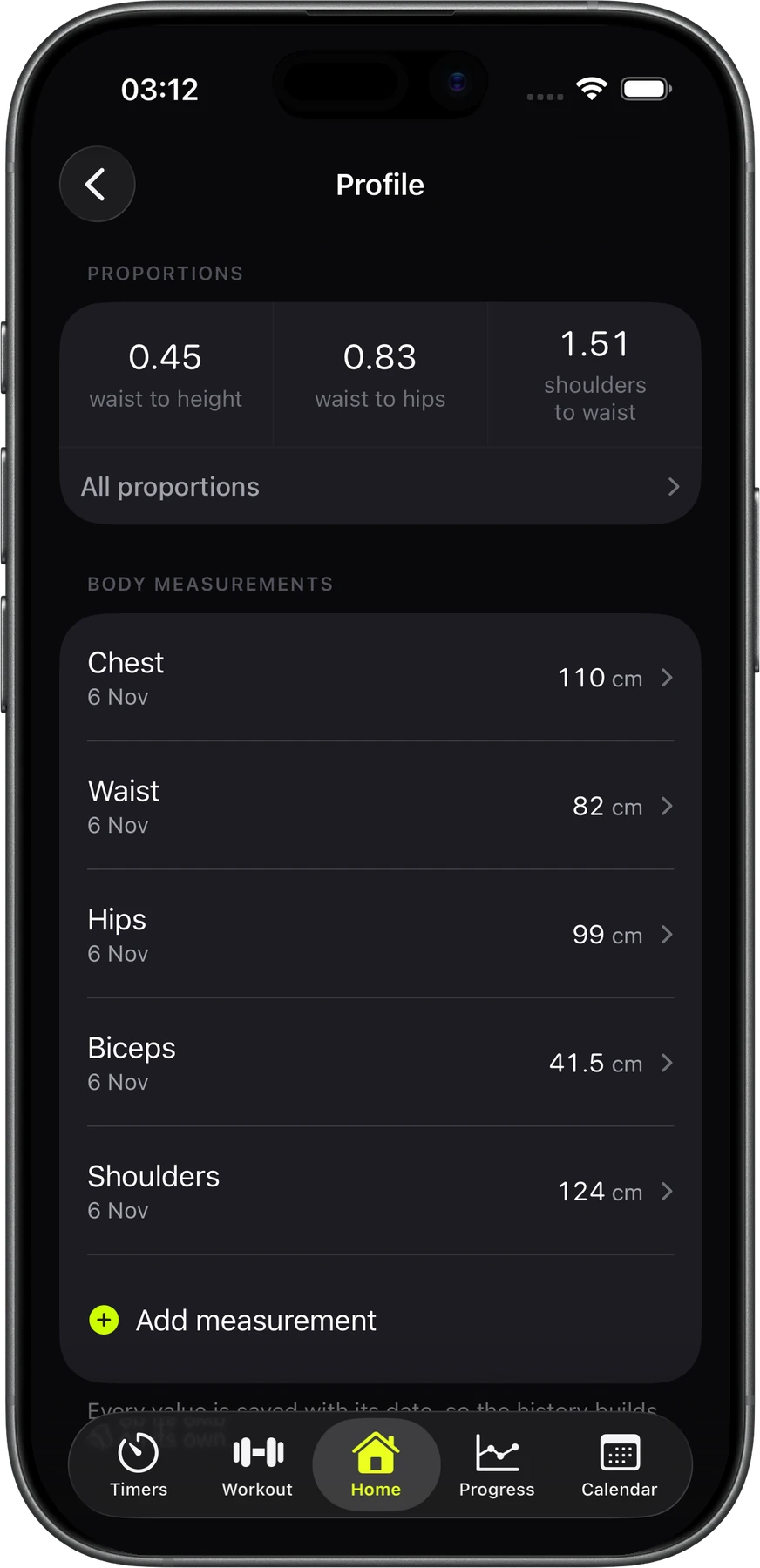
Log chest, waist, hips, biceps and shoulders, or add your own, like your neck. Each one gets a chart and its change over the month. From these, Strenos works out waist to height, waist to hips and shoulders to waist, and shows them next to your BMI and your weekly weight trend.
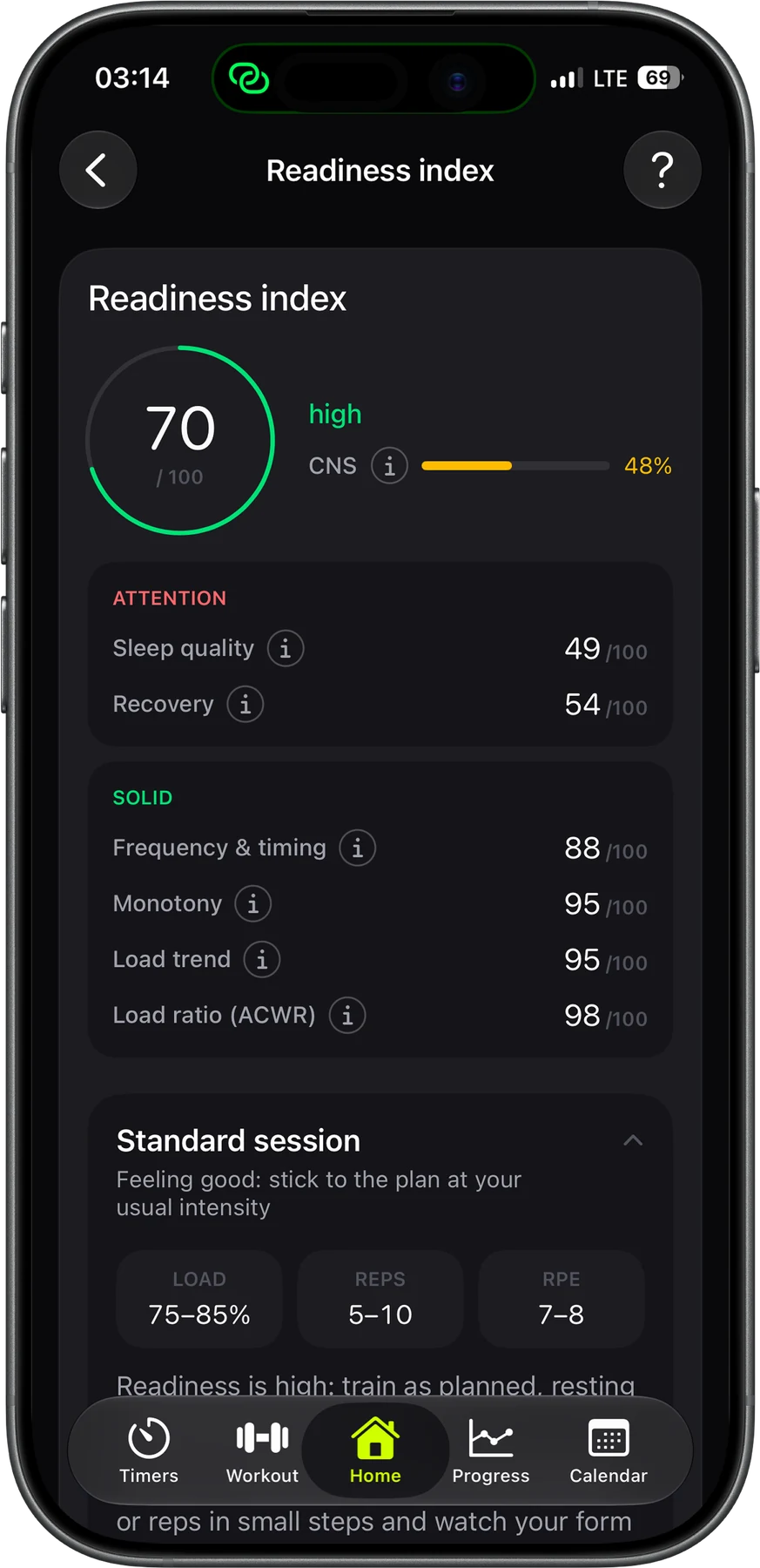
Every day Strenos rolls your training load, sleep and recovery into one score. Then it tells you whether to push, stick to the plan or go lighter. Go for a PR on a good day and save your strength on a bad one. Every factor is explained in plain words.
Your workouts live on your phone and in your own iCloud. We don't keep them on our servers. Strenos works without a signal, sends every finished workout to Apple Health and saves a full backup to a file whenever you want.
Logging is free, and everything you log stays yours. Plus gives you full cycles, your whole history and every chart. Pay monthly, yearly or once for Lifetime. The App Store shows the price in your currency.
| What you get | Free | Strenos Plus |
|---|---|---|
| Always free | ||
| Strength workouts | Unlimited | Unlimited |
| Apple Watch app | ||
| Build programs in any format, as many as you like | ||
| Readiness score and records from your sets | ||
| Stopwatch, countdown and Tabata | ||
| iCloud sync, sharing and the widget | ||
| Free to try | ||
| 5/3/1, nSuns, GZCLP, Texas Method, Smolov Jr | Week one | Full cycles |
| Starting a metcon or hybrid program | 3 a month | Unlimited |
| Readiness breakdown | 3 a month | Unlimited |
| Exercise dossier | 5 a month | Unlimited |
| Other timers | 10 launches | Unlimited |
| The full picture | ||
| Workout history | Last 10 | All of it |
| Charts | This month | Any range |
| Full stats per lift | Most-logged lift | Every lift |
| Timer presets and week templates | – | |
Go monthly or yearly, or buy Lifetime once and keep it.
Cancel anytime in your App Store settings. Nothing you've logged gets deleted.
Get Strenos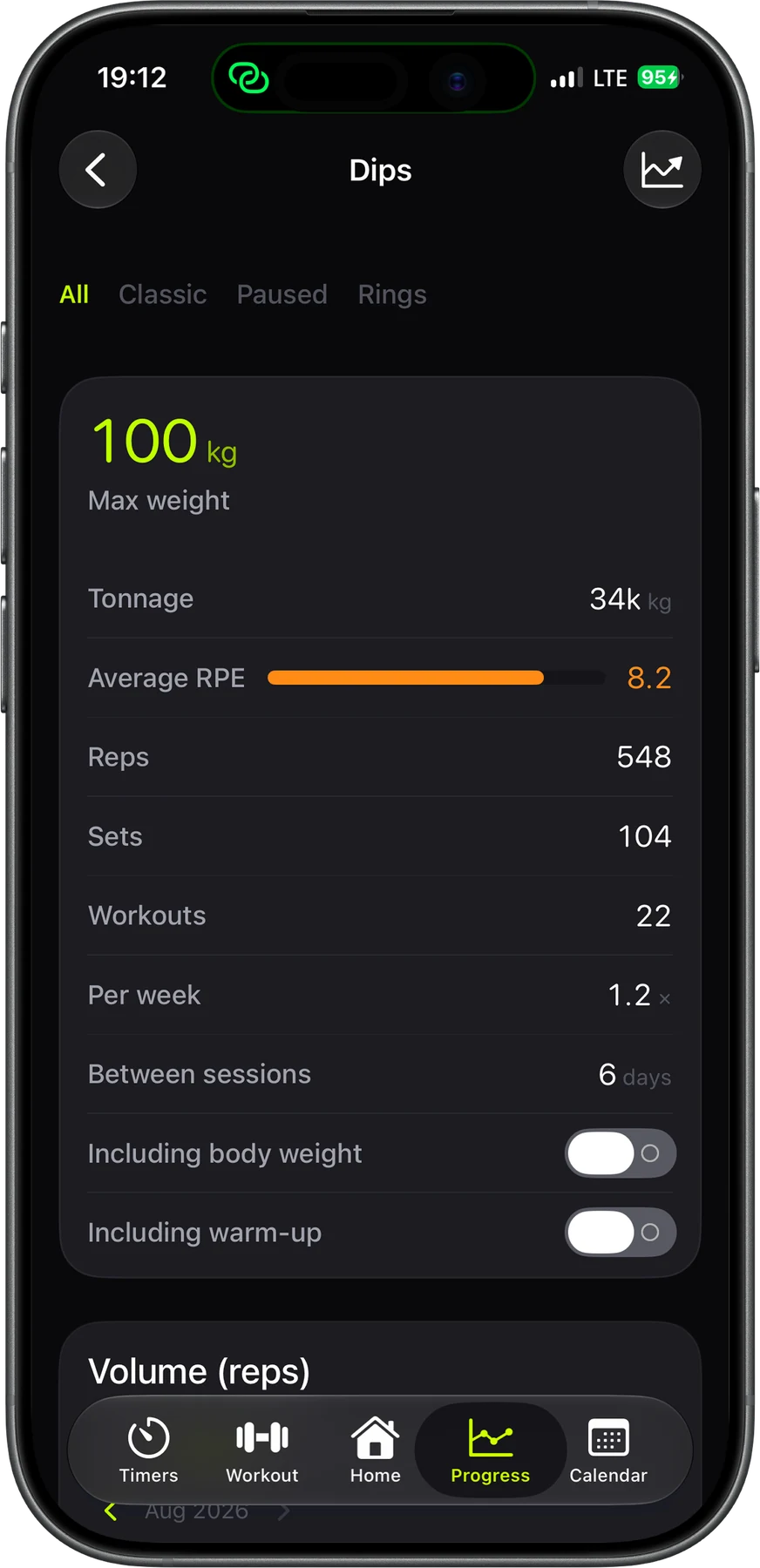
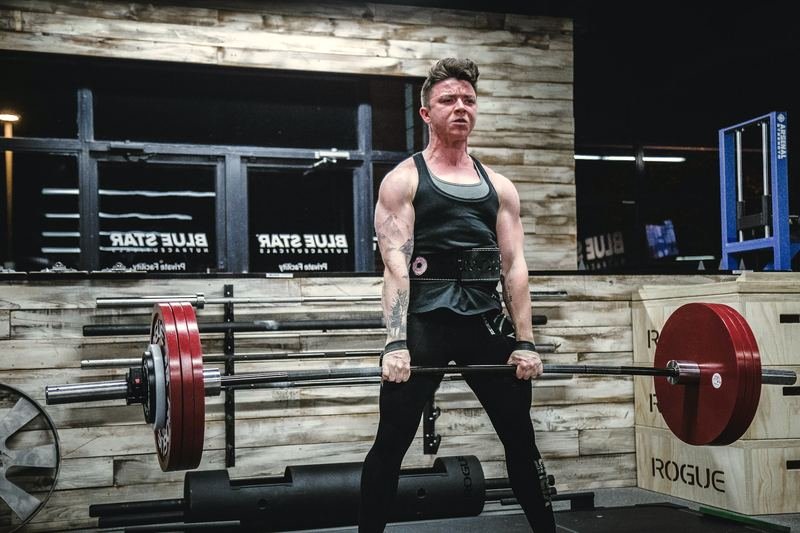 6 min readBBB vs FSL: which 5/3/1 supplemental template to runBBB is 5x10 at 50–60% of your working max and builds size. FSL is 5x5 at your first-set weight and builds strength. Here's how to choose.
 7 min readWeighted pull-up percentages: how to count your bodyweight85% of your belt weight on a pull-up is closer to 95% of your real max. Here's how to work out weighted pull-up and dip percentages with your bodyweight counted.
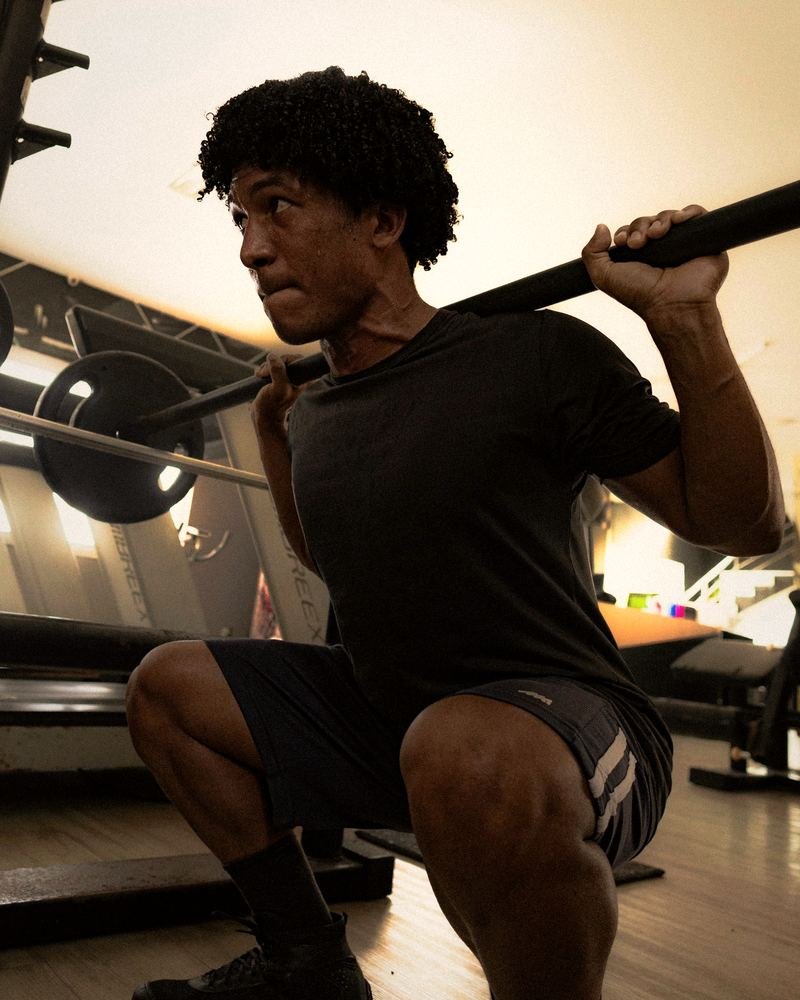 7 min readGZCLP failure protocol: what to do when you miss repsMissed reps on GZCLP? Keep the weight and drop a stage. T1 goes 5x3+, 6x2+, 10x1+ and T2 goes 3x10, 3x8, 3x6. Here's how each reset works.
Yes. Unlimited strength workouts, the Apple Watch app, building programs, the readiness score and records from your sets are all free, with no ads. Week one of every program is free too. Strenos Plus adds full cycles, your whole history and every chart.
Nothing gets deleted, ever. Your last 10 workouts and this month's charts stay open, and the rest of your history waits for you. Come back to Plus and it all opens up again.
Yes. Besides monthly and yearly, there's Lifetime: pay once and Plus is yours for good.
No. Strenos isn't affiliated with Jim Wendler or the other authors. It runs the progression rules they published, and their books are still the best way to learn each method.
The weekly layout and the rule for adding weight follow each program. There's one difference worth knowing. After its last stage, GZCLP's T1 restarts at 85% of your current weight instead of asking you to test a new 5RM.
No. Everything works on iPhone alone. With a watch, you start the workout on your phone, then check off sets, rate them and handle rest from your wrist.
Yes. Four of the five programs work with a dip belt: 5/3/1, nSuns, GZCLP and the Texas Method. Percentages include your bodyweight, and the belt goes up one plate at a time. Smolov Jr is barbell only.
Both. Pick one in settings and set the smallest plate in your gym, and every weight rounds to something you can actually load.
On your phone and in your own iCloud. Strenos works offline and sends finished workouts to Apple Health, and you can save a full backup to a file whenever you like.
No. Strenos is built for iPhone and Apple Watch only.

Strenos runs five programs on iPhone and Apple Watch. You log sets on your wrist, and the weights are ready before you chalk up.
Free on the App Store.